Forms that think before they ask
FormIQ is an embeddable smart form widget with a point-and-click builder, multiple display styles, and instant submission handling. One script tag. Any website. Zero developer dependency after day one.
Most website forms are quietly killing your conversions.
A wall of fields. No logic. No steps. No feedback. Visitors fill half the form and leave. You never know why.

One-page form dumps
Showing every field at once overwhelms visitors. Most abandon before they even start. Multi-step forms consistently convert 2–3× better than single-page forms.

Irrelevant questions
Asking everyone the same questions wastes their time and yours. Without conditional logic, you're making every visitor answer fields that don't apply to them.

Every change needs a developer
Adding a field, changing a label, adjusting validation most form tools tie you to code. Your marketing team can't move without a developer ticket.

Submissions disappear into email
No inbox. No export. No CRM sync. Just an email that gets buried. You're losing leads in the most avoidable way possible.
From zero to live form in under an hour.
FormIQ is built so your team can move fast and keep moving fast without waiting on developers.

01
Paste one script tag
Drop the FormIQ script into your site's . Works on WordPress, Webflow, Shopify, or raw HTML. That's the last time you touch code.
02
Build your form in the admin panel
Drag fields in, write labels, configure validation rules, and choose your display type, all from a visual builder. Publish when ready.
03
FormIQ thinks for your visitors
Show your form as a popup, slide-in, sticky bar, or embedded directly in the page. Pick a trigger like time delay, scroll depth, or exit intent. No code changes needed.
04
Submissions land where you need them
Responses go into your FormIQ inbox and route to your configured communication channel. Your team gets notified the moment a new submission lands.
Every feature your forms actually need.
FormIQ covers the full lifecycle build, display, submit, manage without stitching together five separate tools.
9 Display Variants
Publish your form as a popup, slide-in, sticky bar, or embedded in the page. Each variant has its own trigger behaviour. All configured from the admin panel with no code changes.
12 Built-in Themes
Choose from 12 colour themes – Ocean, Sunset, Royal Violet, Midnight, Coral and more. Applied live from the admin panel. No redeployment needed.
All The Field Types You Need
Text, email, phone, textarea, number, date, file upload, dropdown, radio, checkbox, rating, CAPTCHA and more. All available in the drag-and-drop builder with labels, placeholders, and validation rules.
Submission Webhook
Every submission routes to your configured destination like a CRM, Google Chat, SMS, email, or a custom webhook. Real-time, every time.
Email Notification On Submission
Get an email the moment someone submits. Configure the recipient address, subject, and which fields to include straight from the admin panel.
Submission Inbox
Every response is stored in your FormIQ admin. View, filter, and manage submissions with New, Read, and Archived status tracking.
Point-and-Click Form Builder
Add fields, reorder steps, set labels and validation all with a point-and-click interface. Publish changes live without touching the website.
Built-In Field Validation
Required fields, email format checks, phone number validation set once in the builder. FormIQ enforces them on the front end so bad data never hits your inbox.
One form. Two ways to show it. Zero code changes.
Switch between popup and inline from the admin panel. The form configuration is identical only the presentation changes.
Appears When The Visitor Is Ready
Trigger the form after a time delay, on scroll depth, on exit intent, or on a button click. The form slides in as an overlay high-visibility without breaking the page layout.
Triggered on: Exit intent · Button click · Scroll 60%
Slides In Without Interrupting
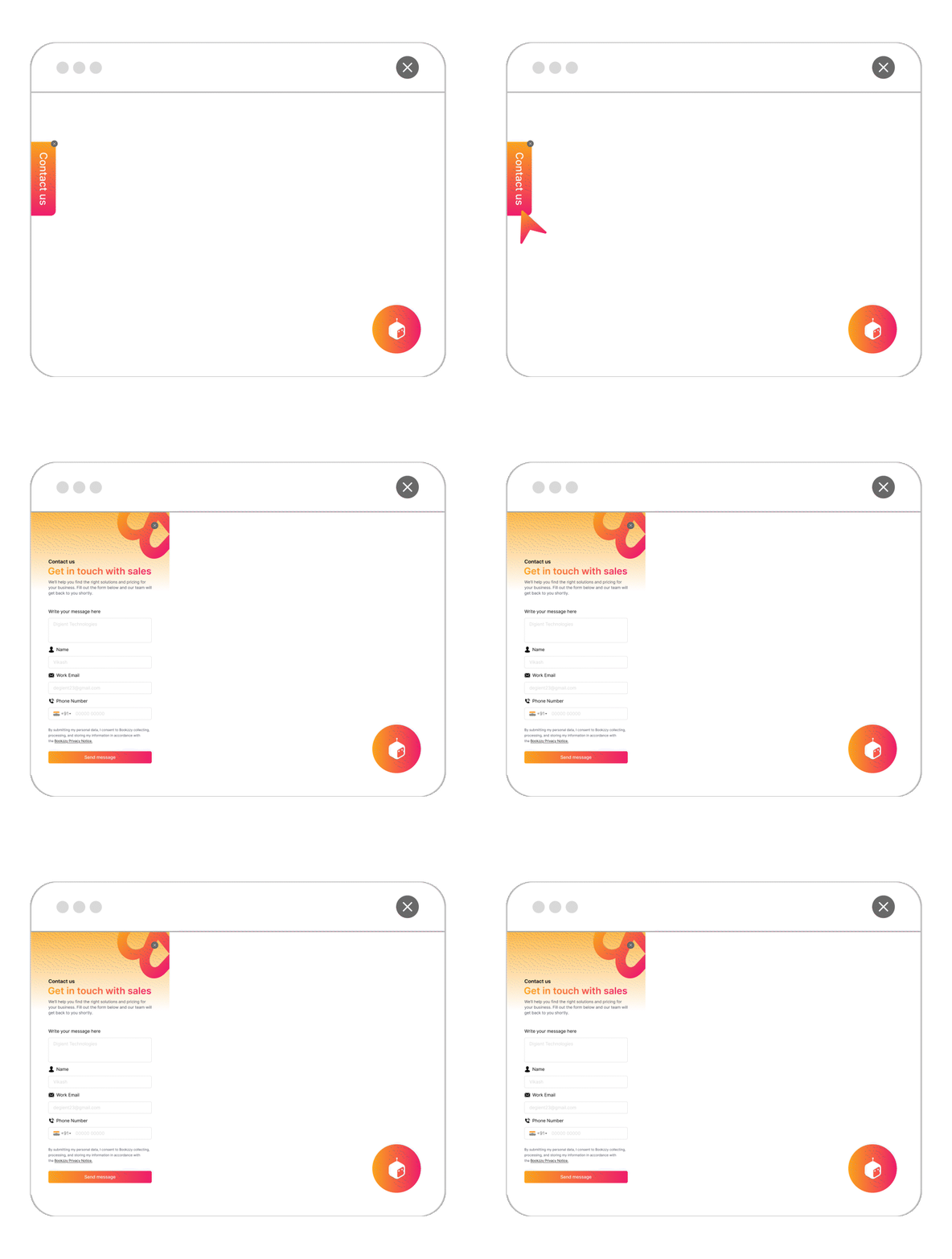
The form slides in from the left or right edge after a short delay, with a persistent tab that stays visible. Visitors can dismiss it and reopen anytime by clicking the tab, no page reload needed.
Triggered on: 3-second delay · Position: left or right
Conditional Logic
Drop the form into any section of your page like contact page, pricing page, landing page. Renders inline with your content. No iframes.
Renders immediately when the page loads. No trigger needed.
Stays Visible As Visitors Scroll
A compact form bar fixed to the top or bottom of the page, always in view without covering your content. Position is a simple toggle, no separate configuration needed.
Renders immediately when the page loads. Position: top or bottom.
Not just another form tool.
FormIQ was built to remove the three biggest blockers between you and a working, converting form on your website.
questions about FormIQ,answered straight.
Can't find what you're looking for? Our team typically responds within 2 hours on weekdays.
What is FormIQ?
+FormIQ is a smart form widget that helps businesses capture leads, enquiries, registrations, bookings, feedback, and customer information directly from their website. It can be displayed as a popup, slide-in, sticky bar, or inline form, and can be managed from a visual admin panel without writing any code.
What makes FormIQ different from traditional form builders?
+FormIQ is designed to be more flexible than basic form builders. It supports different display formats, smart triggers, lead routing, file uploads, and admin inbox management. Unlike many traditional form tools, FormIQ is built as a lightweight website widget that can be added using a single script tag and managed visually from the admin panel.
Can I use FormIQ for lead generation?
+Yes. FormIQ is ideal for lead generation forms, enquiry forms, demo request forms, callback forms, newsletter signups, campaign forms, and gated content forms. With smart triggers and conditional logic, FormIQ helps capture visitor intent at the right moment.
Do I need a developer to embed FormIQ to my website?
+No, a developer is not required. FormIQ is added to your website using a single script tag, similar to adding Google Analytics or Meta Pixel. Anyone who can add a script to your website header or tag manager can install it. After installation, your team can create, edit, publish, and manage forms directly from the admin panel without code changes, deployments, or developer tickets.
How do I add FormIQ to my website?
+You add FormIQ by placing a single script tag on your website. Once added, FormIQ loads your configuration automatically. From the admin panel, you can create forms, choose where they appear, configure display rules, and update content without changing the website code again.
Does FormIQ work with WordPress, Webflow, Shopify, and other platforms?
+Yes. FormIQ works with any website or platform that allows you to add a script tag. This includes WordPress, Webflow, Shopify, Wix, Squarespace, custom HTML websites, and modern JavaScript frameworks such as Next.js.
Can FormIQ show forms as a popup or inline on the page?
+Yes. FormIQ supports multiple display formats, including:
- Popup
- Slide-in
- Sticky bar
- Inline form
You can choose the display format from the admin panel without changing the website code.
What triggers can be used to show a form?
+FormIQ can display forms based on different visitor behaviours and page conditions, such as:
- Immediate display
- Time delay
- Scroll depth
- Exit intent
- Page-level placement
- Inline placement within page content
These triggers help you show the right form at the right moment in the visitor journey.
Can I create multi-step forms?
+Yes. FormIQ supports multi-step forms, allowing you to break longer forms into smaller, easier sections. This can improve completion rates by making the experience feel less overwhelming for visitors.
Can visitors upload files through FormIQ?
+Yes. FormIQ supports file upload fields, allowing visitors to submit documents, images, or other files depending on your form configuration. This is useful for enquiries, applications, support requests, onboarding forms, and service-related submissions.
Where do form submissions go?
+FormIQ can handle submissions in multiple ways automatically. Submissions can be stored and shown in the customer panel, sent as email notifications, and routed to configured destinations such as a CRM, Google Chat, or custom webhook, depending on your setup.
Can FormIQ send leads to my CRM or other tools?
+Yes. FormIQ can route form submissions to external systems through configured integrations or webhooks. This allows your team to send leads, enquiries, and customer information to your CRM, sales tools, support systems, or internal workflows.
Can FormIQ match my website branding?
+Yes. FormIQ can be configured to match your website and brand experience. You can customise form layout, content, fields, display style, and user journey from the admin panel.
Does FormIQ include spam protection?
+Yes. FormIQ can support CAPTCHA and hidden fields to help reduce spam and low-quality submissions.
Your next lead is one smart form away
FormIQ is live on your site in under an hour. Build your first multi-step form, set your conditional logic, and start collecting better leads today.